“How many people can I broadcast to on WhatsApp?” has two very different answers depending on whether you mean the WhatsApp app on your phone or the WhatsApp Business API. The app caps a broadcast list at 256 contacts and throttles you the moment a send looks bulky. The Business API removes that cap entirely — but replaces it with a messaging-tier system that grows with your account health. Here is what the real limits are in 2026, and how to send at scale without getting throttled or banned.
Broadcast list vs the Business API: two different products
A broadcast list in the consumer WhatsApp (and WhatsApp Business) app lets you send one message to many contacts at once, but with hard walls: a maximum of 256 contacts per list, and messages only reach people who have saved your number. Send too many, too fast, and WhatsApp silently limits delivery or flags the number. It is fine for a corner shop messaging regulars; it does not scale.
The WhatsApp Business API is the proper tool for reach. There is no 256-contact list cap, recipients do not need to save your number, and you send through Meta's official infrastructure. What governs your volume instead is your messaging tier and your quality rating.
The real limits: messaging tiers
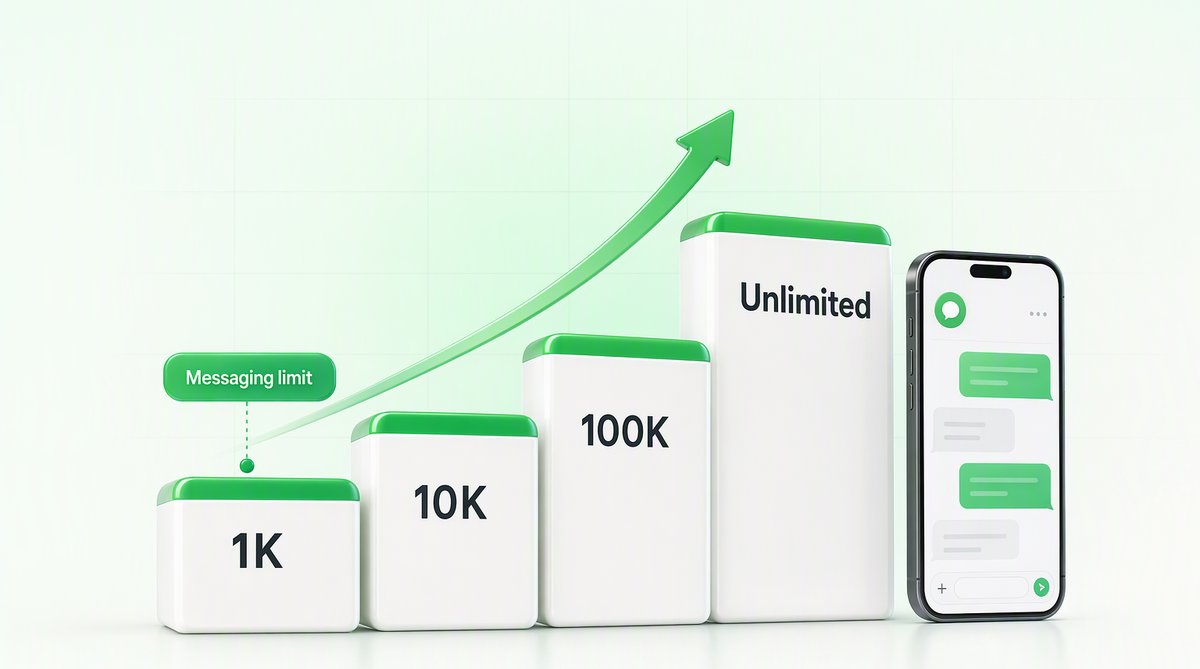
On the Business API, Meta assigns every WhatsApp Business number a messaging tier that caps how many business-initiated conversations you can start in a rolling 24-hour window:
- Tier 1: 1,000 unique customers / 24 hours
- Tier 2: 10,000 unique customers / 24 hours
- Tier 3: 100,000 unique customers / 24 hours
- Tier 4: unlimited
- Tier 11,000 unique customers / 24 hoursWhere a new number usually starts.
- Tier 210,000 unique customers / 24 hours
- Tier 3100,000 unique customers / 24 hours
- Tier 4Unlimited
You climb automatically by sending quality messages to more unique users without high block or report rates. Slip to red and Meta throttles or freezes the tier you are on, however many contacts you hold.
New numbers usually start at 1,000. You climb tiers automatically as you send quality messages to more unique users without high block or report rates. This means the honest answer to “how many can I send” is: as many as your tier allows today, and the tier grows as your account earns trust.
Quality rating: the limit behind the limit
Volume is only half the story. Every number carries a quality rating (green / yellow / red) driven by how recipients react — blocks and “report spam” taps drag it down. Drop to red and Meta throttles or freezes your tier, no matter how many contacts you have. This is exactly how most WhatsApp broadcast tools quietly lose 55–60% of their sends: they blast marketing-category templates to cold lists, ratings collapse, and delivery craters. We cover the mechanics in how to avoid a WABA ban in India.
How to actually scale a WhatsApp broadcast
- Route on the utility lane where you can. Order updates, receipts and account notifications qualify as utility-category templates, which deliver far more reliably than marketing blasts. See bulk WhatsApp campaigns on the utility lane.
- Warm the number up. Ramp volume over days, not in one spike, so Meta raises your tier instead of flagging you.
- Send to people who expect you. Opted-in, recently active contacts block far less often, protecting your quality rating.
- Write templates that get approved and read. Vague or salesy copy gets rejected or reported; see why templates get rejected.
Where QuickAuth fits
QuickAuth's WhatsApp broadcast runs on the official Meta Business API with delivery-optimised routing, so real-world delivery lands around 95% instead of the 40–45% most tools quietly settle for. Broadcasts, OTPs, campaigns and a shared team inbox all sit on one WABA and one INR invoice. Not sure what your current tool is really delivering? A free 15-minute delivery audit shows your real number within 24 hours.