Most WhatsApp messages a small business receives are the same ten questions: where's my order, are you open, how much, do you deliver to my pincode, can I get a refund. A no-code chatbot answers those instantly, around the clock, and quietly hands the rest to a human. The trick is knowing which parts to automate with simple rules, where an AI assistant actually earns its keep, and how to make the handoff feel seamless instead of robotic. This is a practical guide to designing a WhatsApp chatbot that genuinely deflects support — without writing a line of code, and on the same WABA number you already use for OTPs and campaigns.
Rules-based flows vs AI: start with the boring answer
The biggest mistake teams make is reaching for AI first. AI is exciting, but for the majority of inbound WhatsApp messages it's the wrong tool. If a question has a finite set of correct answers — your store hours, your delivery pincodes, your return window, the link to track an order — a rules-based flow will answer it faster, cheaper, and with zero risk of making something up.
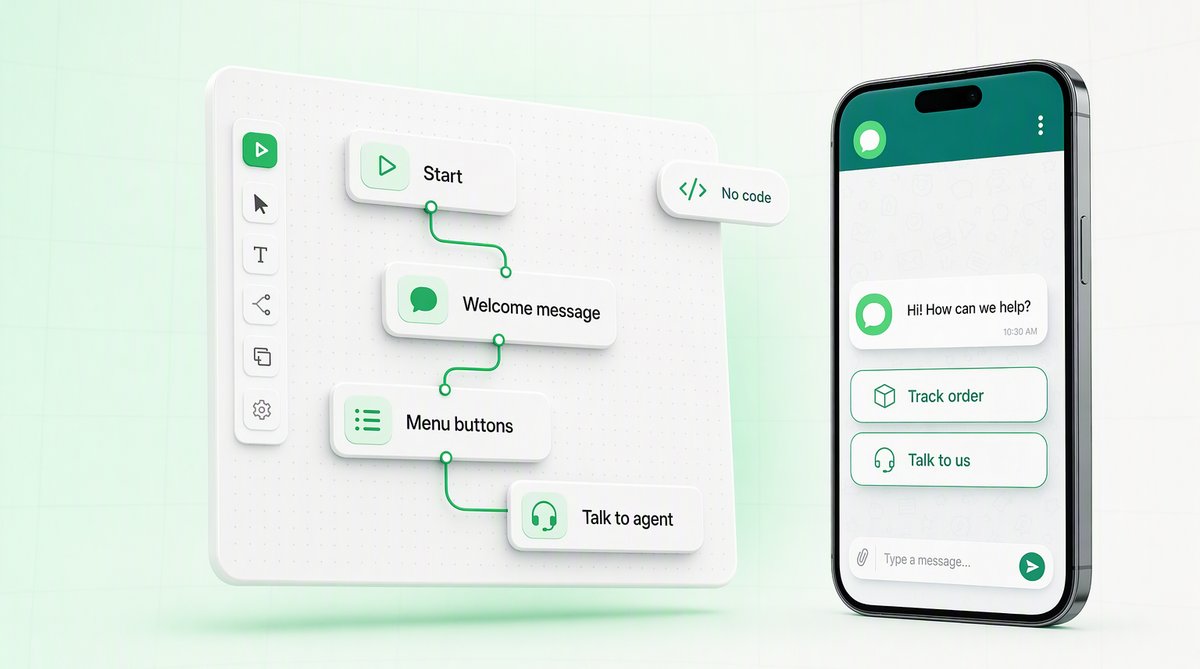
QuickAuth's flow builder is a no-code, drag-and-drop canvas. You place nodes — a message node that says something, a question node that asks something, a branch node that routes the conversation based on the reply — and connect them into a path. There's no model, no training data, no surprises. The bot does exactly what the diagram says, every single time. For an SMB that needs predictable, auditable behaviour, that determinism is a feature, not a limitation.
So where does AI fit? Reach for the optional AI assistant only when the question space is genuinely open-ended — a customer describes a problem in their own words, asks something you didn't anticipate, or phrases a known question in a way your buttons don't cover. A good rule of thumb:
- Use a rules-based flow when you can list the answers in advance. Order status, pricing, hours, policies, appointment booking, collecting a name and pincode.
- Use the AI assistant when customers ask in free text and the answer depends on understanding what they meant — product recommendations, troubleshooting, or fielding the long tail of questions a button menu can't enumerate.
- Use a human the moment money, complaints, or anything legally sensitive is on the line. More on that handoff below.
- You can list the answers in advanceA rules-based flowOrder status, pricing, hours, policies, appointment booking, collecting a name and pincode. No model, no training data, no surprises — the bot does exactly what the diagram says, every time.
- Free text, and the answer depends on what they meantThe AI assistantProduct recommendations, troubleshooting, and the long tail of phrasings a button menu cannot enumerate.
- Money, complaints, anything legally sensitiveA human, in the team inboxWith whatever the bot already collected attached, so the customer does not start again from the top.
Every branch ends resolved or handed off. There is no third state where the customer is left talking to a wall.
Designing a flow that actually deflects support
Deflection means resolving a query without a teammate ever touching it. To deflect well, your flow has to do three things: greet, narrow, and resolve. Here's the shape of a flow that handles the bulk of everyday inbound for, say, a D2C brand or a local services business:
[Trigger: customer messages]
        │
        ▼
[Message] "Hi! 👋 How can we help today?"
        │
        ▼
[Question + quick replies]
  ┌─────────────┬───────────────┬──────────────┐
  ▼             ▼               ▼              ▼
Track order   Pricing      Delivery areas   Talk to us
  │             │               │              │
  ▼             ▼               ▼              ▼
[Question]   [Message]      [Question]     [Handoff]
"Order no?"  price list     "Your pincode?"  → team
  │             │               │              inbox
  ▼             │               ▼
[Branch:      (resolved)    [Branch: in list?]
 lookup]                     ┌──────┴──────┐
  │                          ▼             ▼
  ▼                       "Yes, we      "Not yet —
[Message]                  deliver"      leave your
"Out for                   (resolved)    number"
 delivery"                                  │
(resolved)                                  ▼
                                        [Handoff]
Notice that every branch ends in one of two states: resolved (the bot answered and the customer goes away happy) or handoff (the bot collected context and passed it to a person). There is no dead end where the customer is left talking to a wall. That's the single most important design rule — always leave an exit to a human.
Keep the tree shallow. Two or three taps to an answer is good; five levels of nested menus is how you train customers to type “agent” on the first message. If you find a branch getting deep, that's usually a signal the question belongs to the AI assistant or a human, not a menu.
Quick-reply buttons: the backbone of a good bot
On WhatsApp, the difference between a chatbot people use and one they abandon is almost always buttons. Free-text replies force the customer to think, type, and risk being misunderstood. Quick-reply buttons turn an open question into a tap. They're faster for the customer and far more reliable for your flow, because a button press maps cleanly onto a branch — there's no parsing, no spelling, no ambiguity.
A few practical rules for buttons that hold up in the real world:
- Three to four options, max. WhatsApp caps reply buttons, and beyond a handful of choices people stop reading. If you need more, use a list with clear section headers instead.
- Label by outcome, not category. “Track my order” beats “Orders”. The customer should recognise their goal in the button text.
- Always include an escape hatch. One button should be some version of “Something else” or “Talk to a person” so nobody gets trapped in the menu.
- Handle the typed reply too. Some people will ignore your buttons and just type. Let the AI assistant catch those messages, or branch on a few obvious keywords, so a typed “refund” still routes correctly.
The AI assistant: add it surgically, not everywhere
When you do turn on the optional AI assistant, treat it as a fallback layer, not the front door. The pattern that works best: let the rules-based flow handle the known paths, and route anything that falls through — the typed messages, the “something else” taps, the questions your buttons didn't anticipate — to the AI. It reads the message, understands intent, and either answers from the context you've given it or recognises that it's out of its depth and triggers a handoff.
Two honest cautions. First, an AI assistant is only as good as the information it can draw on — feed it your real policies, hours, and FAQs, and keep that source current, or it will confidently answer with stale facts. Second, never let AI improvise on anything transactional. Refund amounts, order cancellations, promises about delivery dates — those should come from a deterministic flow or a human, never a generated sentence. The AI's job is to understand and route, and to answer the soft, low-stakes questions. The moment a conversation gets specific about money or commitments, the safe move is to hand off.
The human handoff: where most bots fall apart
A chatbot is judged less by how well it answers and more by how gracefully it gives up. A clean handoff to a live agent is the difference between “that was helpful” and “ugh, a bot.” In QuickAuth, the handoff node drops the conversation straight into your shared team inbox — the same place your agents already work — so a real person can pick it up and reply inside WhatsApp's 24-hour service window.
What makes a handoff feel seamless:
- Pass the context, not just the chat. By the time the bot hands off, it has often already collected the order number, the pincode, or the nature of the problem. That context lands in the inbox with the conversation, so the agent doesn't make the customer repeat themselves.
- Set expectations. A simple “Connecting you to our team — someone will reply shortly” message tells the customer the bot has stepped aside, so they're not left wondering if anyone is listening.
- Update the CRM on the way through. Flow nodes can write back to the contact record — tag the conversation, save the pincode, mark them as a lead — so the customer profile grows with every chat, automated or not.
- Make handoff reachable from anywhere. Every branch and the AI fallback should be able to escalate. A customer should never have to fight the bot to reach a person.
Because the bot and the inbox share one system, there's no awkward seam between automated and human conversation. The customer experiences a single, continuous WhatsApp thread; your team sees the full history, including everything the bot already did.
Keep it on the same WABA as your OTPs and campaigns
A point that's easy to overlook but matters enormously in India: your chatbot should run on the same WhatsApp Business Account and the same number as your authentication OTPs and your marketing campaigns. One number is what your customers already recognise, it's the number on your receipts and your packaging, and consolidating everything onto it keeps your operations and your billing simple.
There's a quality angle too. WhatsApp rates the health of a number based on how customers interact with it. A chatbot that answers quickly and resolves problems generates the kind of positive engagement that protects your number's standing — the same standing that determines whether your OTP templates and campaign sends keep flowing. Running support, automation, OTPs, and campaigns on one well-behaved number is genuinely good for deliverability, not just convenience.
Practically, this also means you don't pay for, manage, or reconcile a second number. The chatbot conversations, the team inbox, the CRM, the OTP logs, and the campaign analytics all live in one place, tied to one WABA. For a small team, that consolidation is worth as much as any single feature.
A sensible rollout
You don't need to launch a sprawling bot on day one. Start narrow and expand from evidence:
- Week one: automate your top three FAQs with a simple button menu, and wire a “Talk to us” button straight to the team inbox. That alone deflects a surprising share of inbound.
- Week two: read the handoff transcripts. Whatever questions humans keep answering are your next flow branches. The bot tells you what to build.
- Later: turn on the AI assistant for the messy, free-text long tail — once your rules-based flows have soaked up the predictable volume and you can see exactly where the gaps are.
Build the boring, deterministic parts first; add AI only where it clearly helps; and make sure a human is always one tap away. Do that, and a no-code WhatsApp chatbot stops being a gimmick and becomes the quiet workhorse that handles the repetitive questions your team shouldn't have to — on the one number your customers already trust.